
Manual Crank Sit-to-Stand Tables for Shared and Multi-User Offices
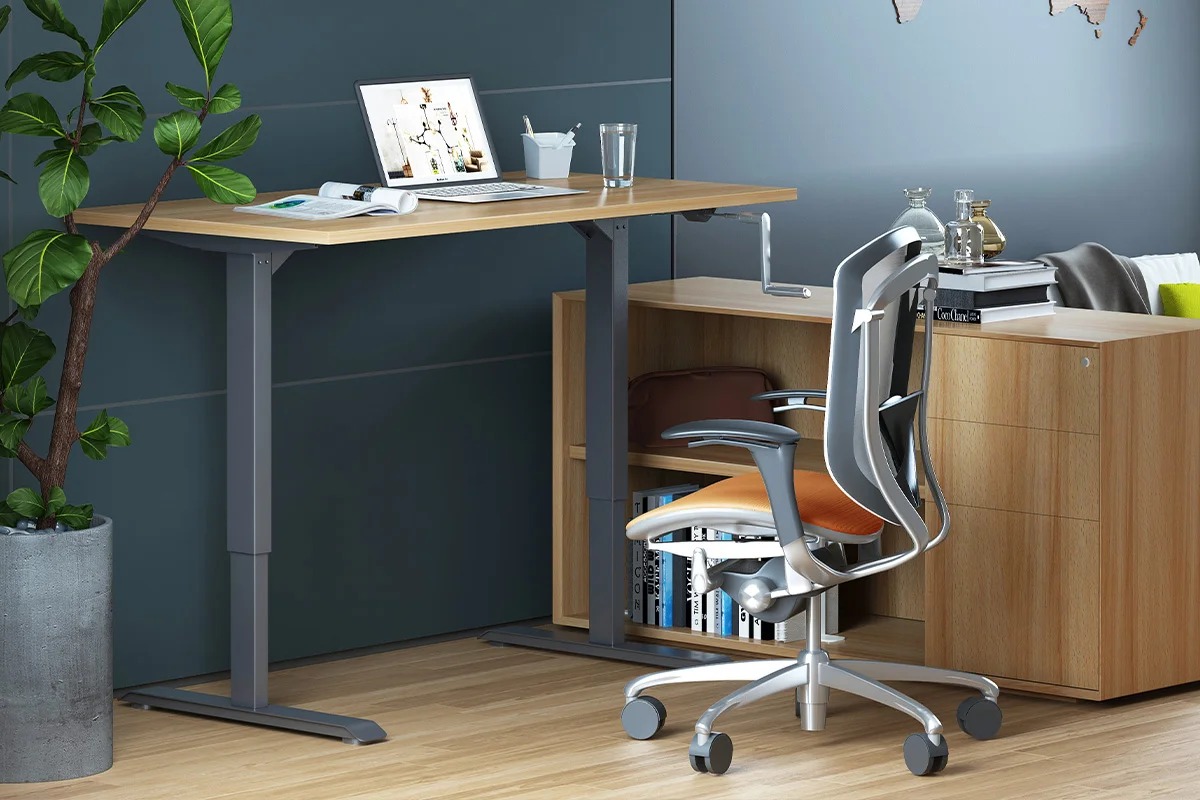
Shared offices demand flexibility. Different users arrive with different heights, preferences, and work styles. A manual height adjustable desk solves this challenge without complex electronics. The manual adjustable desk lets teams switch positions quickly. Facilities managers appreciate the simplicity of a manual adjustable height table that requires no power outlet. Staff can adjust table height in seconds and keep working.
Why Shared Offices Need Reliable Height Adjustment
Hot-desking and multi-user spaces create constant change. One person sits at 72 cm. The next prefers 110 cm. Fixed desks force compromise. A manual height adjustable desk removes that friction. Teams gain freedom. Managers reduce complaints about posture and comfort.
Overcoming Power and Maintenance Hurdles
Electric models offer push-button ease. Yet they need outlets and add cost. Many shared zones lack convenient power. The manual adjustable desk works anywhere. It stays reliable during outages. Maintenance stays low. These advantages make the manual adjustable height table ideal for training rooms, project areas, and flexible floors.
Staff simply turn the crank. They adjust table height to the exact position that feels right. The process takes under a minute. No waiting for motors. No shared control panels to confuse users.
Key Advantages in Multi-User Environments
- No power dependency – place the desk anywhere
- Fast individual adjustment – each person sets their own height
- Lower purchase and running costs – ideal for large deployments
- Durable mechanical design – fewer parts to fail
A well-chosen manual height adjustable desk supports both sitting and standing throughout the day. Users move more. Energy levels stay higher. Shared offices feel more productive.
Core Features of an Effective Manual Crank System
Not every crank desk performs well under heavy shared use. Look for solid construction and smooth operation. The best manual adjustable desk models handle frequent height changes without loosening or wobbling.
Essential Technical Specifications
|
Feature |
Why It Matters in Shared Offices |
Recommended Specification |
|
Height Range |
Fits short and tall users |
690–1130 mm (or dual-range option) |
|
Load Capacity |
Supports monitors and equipment |
Minimum 80 kg |
|
Crank Effort |
Easy for all staff |
Smooth 6 mm per turn |
|
Leg Design |
Stability during use |
Rectangular profile, thick wall |
|
Frame Width |
Fits various desk tops |
1150–1600 mm adjustable |
These specifications ensure the manual adjustable height table stays steady when someone leans on it or places dual monitors. Users can adjust table height confidently. The mechanism locks firmly at any point.
Cable management remains important even on a manual height adjustable desk. Shared desks collect chargers and laptop docks. Integrated trays or channels keep wires tidy and safe.
How the Crank Mechanism Supports Team Use
The hand crank sits under the desktop. Most users reach it easily from a seated or standing position. Turning the handle raises or lowers the surface in controlled increments. The manual adjustable desk moves steadily. No sudden drops occur. This predictability builds trust among staff who share the same station.
In high-traffic zones the simplicity shines. New employees need almost no training. They simply turn the crank and adjust table height until elbows rest comfortably. The process feels intuitive.
Practical Deployment Strategies for Facility Managers
Roll out manual height adjustable desk units in phases. Start with the busiest shared areas. Measure success through feedback and reduced posture-related requests. Expand once teams adopt the habit of changing positions.
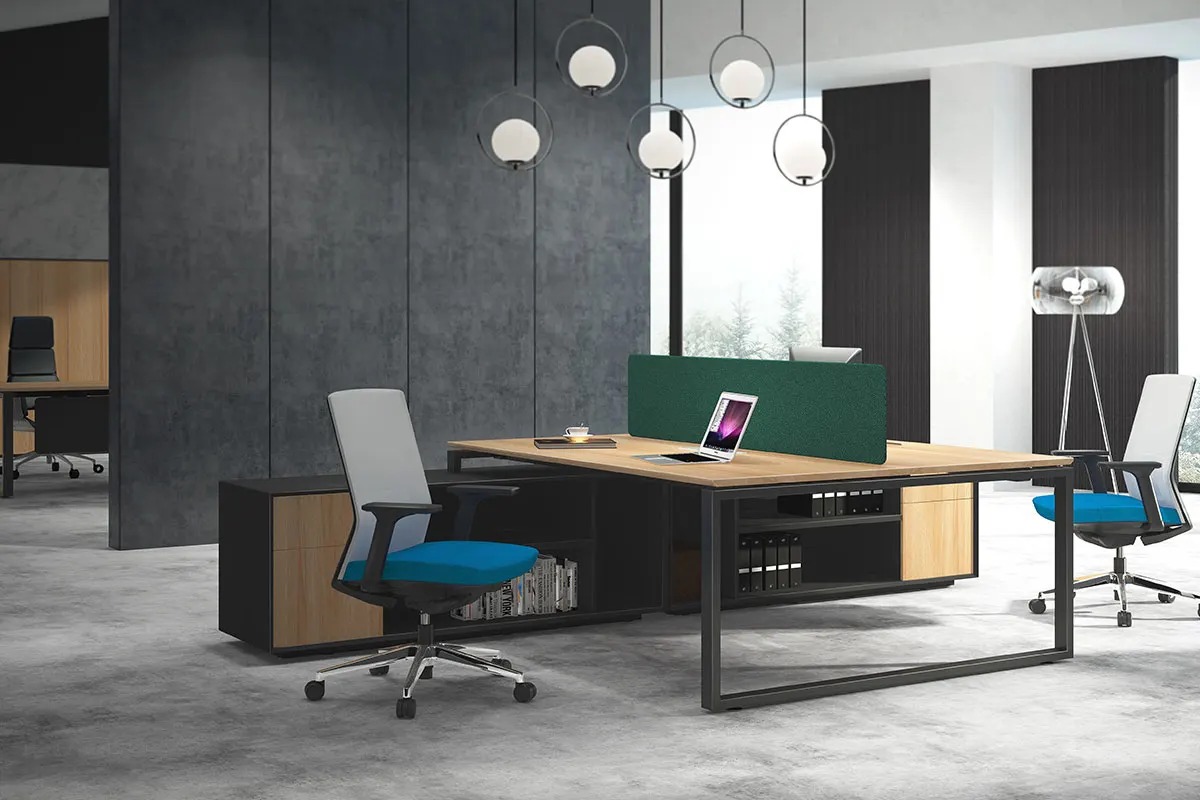
Pair the desks with modular benching systems. Many organizations already use open layouts. Adding a manual adjustable height table into those rows increases personalization without redesigning the entire floor.
Label each desk clearly. A small height scale or instruction card helps. Users learn the preferred settings faster. They spend less time experimenting and more time working.
Recommended Layout Configurations
|
Layout Type |
Number of Users |
Suggested Desk Style |
Key Benefit |
|
Hot-desk pods |
4–6 |
Single manual height adjustable desk |
Independent control |
|
Project tables |
2–4 |
Wider manual adjustable desk |
Collaborative surface |
|
Training rooms |
8–12 |
Uniform manual adjustable height table |
Quick reset between sessions |
|
Touchdown zones |
1–2 |
Compact crank model |
Fast in-and-out use |
These arrangements keep the office adaptable. When headcount changes, the same manual adjustable desk units move easily. No rewiring is required.
Health and Productivity Gains in Shared Settings
Alternating between sitting and standing reduces fatigue. Staff who can adjust table height regularly report better focus. The manual height adjustable desk encourages movement without forcing it. People stand for calls or short tasks. They sit for deep work. The choice stays personal.
Shared offices often suffer from one-size-fits-all furniture. A manual adjustable height table restores individuality. Taller team members stop hunching. Shorter colleagues stop reaching. Comfort improves for everyone who uses the station.
Over months the benefits compound. Fewer aches mean fewer sick days. Higher comfort supports better concentration. The simple act of turning a crank becomes a healthy habit.
Quick Tips for Daily Use
- Set a personal height mark on the first day
- Change position every 45–60 minutes
- Keep the crank handle clear of chairs and bags
- Wipe the mechanism monthly for smooth action
These small habits maximize the value of every manual adjustable desk in the space.
Selecting the Right Model for Your Team
Evaluate actual usage patterns first. Count how many people share each station daily. Note the range of body heights. Measure available floor space and cable needs. Then match those facts to the specifications of a solid manual adjustable desk.
Look for rectangular legs and adequate foot length. These details prevent rocking when users shift weight. Confirm the height range covers both the shortest and tallest team members. A dual-range option adds extra flexibility.
Test the crank action if possible. Smooth, consistent movement indicates quality engineering. A well-built manual adjustable height table feels precise rather than loose or sticky.
Finally, consider future growth. Choose frames that accept different top sizes. This protects the investment as layouts evolve.
Conclusion
Shared and multi-user offices thrive when furniture adapts to the people who use it. A manual height adjustable desk delivers that adaptability without high costs or complex wiring.
Contact M&W today to configure durable, factory-direct crank sit-to-stand tables tailored to your project layout.