
Office Power Systems Made Simple: 3 Steps to Flexible, Clutter-Free Workspaces
Real Problem: When Power Outlets Dictate Your Workflow
Sound familiar?
→ A 12-person meeting stalls because only 4 people can plug in near the wall
→ New project teams set up partitions, then scramble for extension cords
→ Visitors notice tangled cables under desks—not your brand’s professionalism
You’re not alone. Research shows 76% of employees adjust seating based on outlet access, not collaboration needs. Fixed wall outlets quietly limit your space’s potential.
M&W Power Systems: Power That Disappears, Collaboration That Shines
Built-In Solutions: Power Hidden in Plain Sight
- MW-ac-n-55 Modular In-Desk Outlets
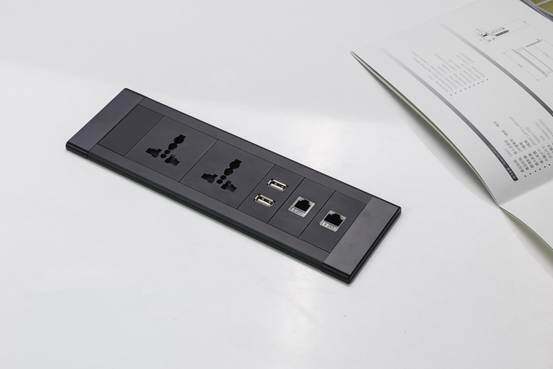
- Mix 1.5–7 modules: AC outlets, USB-C PD (35W), Qi wireless charging (10W), Ethernet
- Install 3 ways: into partitions, desktop cutouts, or cable trays
- Daisy-chain design: One wall connection powers the whole group (70% fewer wall holes)
- Perfect for: Manager desks, meeting tables, partition workstations
- MW-ac-n-110 Flip-Up Outlets (Electric)
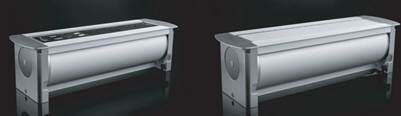
- Tuck away after use—clean tabletop in one motion
- Dual infrared sensors prevent pinching (electric model)
- Perfect for: Executive tables, client-facing areas
Quick-Mount Solutions: Upgrade Today, No Renovation
- MW-ac-n-57 Slim Series
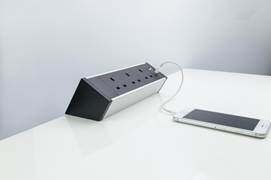
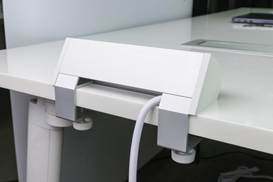
- Mount under or on desktop; link multiple units seamlessly
- Scale easily: Add modules as your team grows
- Perfect for: Open-plan zones, agile team islands
Future-Proof by Design
- Swap single modules as tech evolves—no full replacement needed
- All units certified: UL/CE compliant
- Qi-certified wireless charging; USB PD 3.0 fast charging
Smart Integration: Power That Works With Your Space
For Partition Workstations
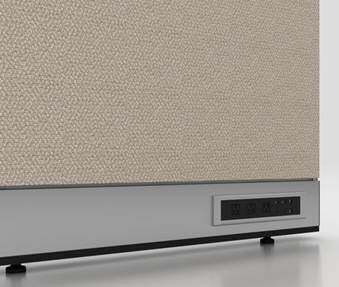
- Embed MW-ac-n-55 into partition frames (top or base)
- Route cables through internal channels—zero visible wires
- Place one power group every 2 meters (fits standard 1.2m-high partitions)
For Open Workstations
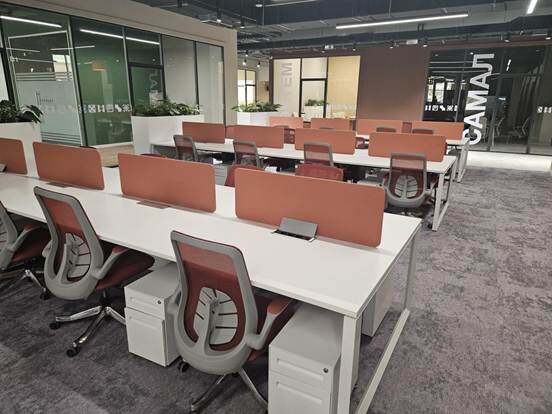
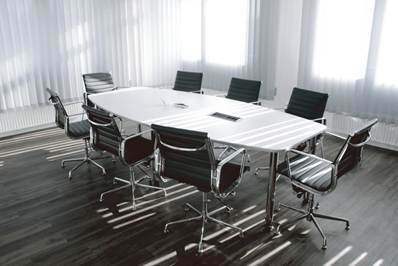
- Place MW-ac-n-81 units at the center of 4–6 person islands
- Radiate cables cleanly to each seat (2–3 ports per person)
- Result: 60% lower installation cost vs. wall rewiring
Your 3-Step Selection Guide
Step 1: Match to Your Space Type
|
Space Type |
Recommended |
Key Tip |
|
Partition workstations |
MW-ac-n-55 embedded |
Reserve 45 mm channel in partition frame for wiring |
|
Meeting/client tables |
MW-ac-n-110 flip-up |
Clean and tidy, with a flat desktop |
|
Temporary/shared zones |
MW-ac-n-57 quick-mount |
No tools, no damage, move anytime |
Step 2: Calculate Your Needs
- Ports needed = People × 2.5
- Suggested mix: 60% AC outlets, 30% USB-C, 10% specialty (Ethernet/wireless)
Step 3: Avoid Common Mistakes
- For partitions: Confirm wiring channel width ≥45 mm before assembly
- For desktops: Keep cutout edge ≥50 mm from desk edge to prevent cracking
- Load safety: Max 6 modules per MW-ac-n-55 group; total ≤2500 W
- Verify certs: Always check for visible UL/CE marks
Real Impact: What Changes When Power Works for You
After installing M&W power systems across 120 open workstations and 28 partition groups:
✓ Meetings flow uninterrupted—no more "low battery" pauses
✓ Space reconfiguration time dropped from 3 days to 4 hours
✓ Visitor feedback: "Your space feels intentional, not chaotic"
✓ IT support tickets related to power issues fell by 65%
Ready to Simplify Your Workspace Power?
- Snap a photo of your messiest power spot (cables everywhere? outlets too far?)
- Circle 3 zones where teams shift often (project hubs, client corners, etc.)
- Get your free plan: Send photos + rough dimensions to M&W.
We’ll provide:
- Custom layout diagram (CAD)
- Product list + simple install guide
True workspace freedom starts where the cables end.
M&W Power Systems—thoughtfully integrated, effortlessly professional.